
Cengage Read
Cengage LearningEducation
3.6349.00 Reviews
- Version
- 2.0
- Installs
- 100.00K
- Age Rating
- Everyone
Screenshots

Our Review of Cengage Read
 Analysis by Appyee
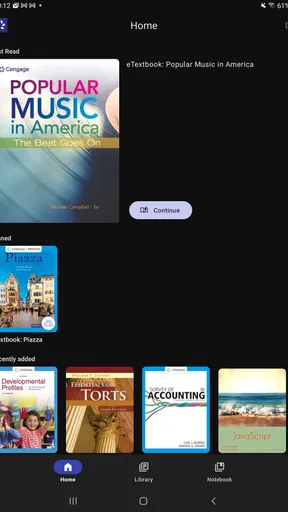
When I first opened Cengage Read, I understood its appeal immediately: it puts a Cengage eTextbook and study session in the same mobile space, so reading does not have to stop when I leave my desk. That sounds simple, but it matters when a spare half-hour on a commute, in a library queue, or before class is the only realistic study window available.
This is a free education app from Cengage Learning, aimed at readers who already use Cengage course material. It is available for Everyone, runs on Android devices using version 7.0 or later, and has reached over 100 thousand installs. Its average score is 3.6 from around 1 thousand ratings, which gives me a useful first impression: plenty of students find a purpose for it, but the experience is not universally smooth.
After spending time with it, my view is fairly clear. Cengage Read is most valuable as a practical companion to a Cengage textbook, not as a complete replacement for every study tool. Its lasting usefulness depends less on novelty and more on whether your course already lives inside the Cengage ecosystem. If it does, the app can become a dependable part of a weekly routine. If it does not, there is little reason to install it just to browse for a general reading experience.
How the first week feels
The first week is when the app makes its strongest case. A textbook on a phone is easier to reach than a physical book, and the advantage becomes obvious during short gaps in the day. I can imagine opening a chapter while waiting for a lecture, reviewing a section before an assignment, or checking a definition without carrying a heavy volume around.
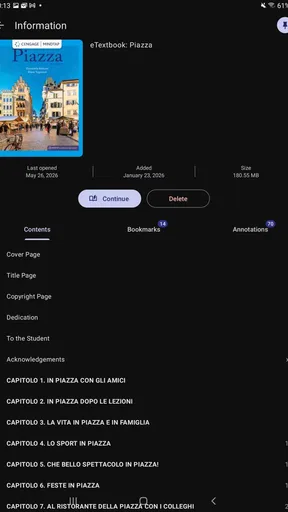
The important distinction is that this is not simply a general reading app with educational branding. Its purpose is tied to Cengage eTextbooks. That makes the setup and usefulness dependent on what a student has access to through a course or study arrangement. In other words, the app is not something I would choose first for novels, PDFs from unrelated sources, or a personal document library.
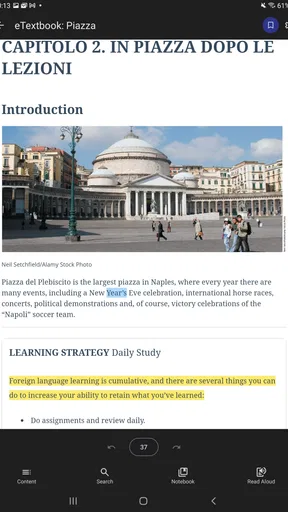
On a larger phone, the reading experience is more comfortable than I expected for short sessions. I would still prefer a tablet or computer for several uninterrupted hours because textbook pages contain dense explanations, diagrams, references, and layouts that benefit from more screen space. The phone works best when the goal is focused review rather than a full evening of intensive reading.
One practical habit helped me more than simply opening the app whenever I remembered it: I treated each visit as a small task. Instead of saying “study the textbook,” I would choose a section, a few pages, or one concept to revisit. That approach suits mobile reading because it limits the temptation to scroll aimlessly and makes a short session feel complete.
The app also fits students who move between locations during the day. A physical textbook stays in a bag, while a mobile reader is already close at hand. That convenience is not a dramatic feature, but it changes the likelihood of doing small amounts of revision. For a student who regularly forgets to bring course material home, the phone-based format can remove a familiar excuse.
Where the convenience has limits
I would not confuse portability with perfect readability. Textbooks are designed for sustained attention, and a phone is still a small screen. Long passages can feel tiring, especially when the material includes tables, equations, charts, or side-by-side explanations. I found the format better for checking and refreshing knowledge than for replacing a dedicated study desk.
There is also a mental difference between opening a textbook for a planned session and opening an app during a spare moment. The latter is easier to start, but it can encourage shallow reading. I recommend deciding what you want to extract before opening a chapter: a definition, a sequence of steps, a review of a difficult topic, or preparation for a class discussion. Without that intention, the convenience can turn into passive page turning.
Students should also think about their existing devices. If you already read Cengage material comfortably on a laptop or tablet, the mobile app adds flexibility rather than transforming the entire study process. If your only realistic device is a phone, however, that flexibility becomes much more important.
A realistic everyday study routine
Imagine a student with a morning lecture and an assignment due later in the week. On the bus, the student opens the relevant eTextbook and reviews the chapter heading and key explanation. Between classes, the student returns to the same material to clarify one confusing point. That evening, the student uses a larger screen for writing and keeps the mobile app as a quick reference during breaks.
That is the role in which I think Cengage Read works best. It does not need to carry the entire academic workflow to be useful. It only needs to make the course text available at the moments when a student would otherwise skip a small review session. Over time, those small sessions can support retention, provided they complement deeper study rather than replace it.
What remains useful after the novelty fades
The first-week appeal of reading anywhere is easy to notice. The harder question is whether the app earns a regular place in a student’s month-to-month routine. My answer is conditional but positive: it can, especially when the textbook is used repeatedly across a course and the student builds a predictable review habit around it.
The recurring value comes from reducing friction. Every time I can check the assigned material without searching for a printed book or waiting to reach a computer, the app saves a small amount of effort. That saving becomes meaningful during busy weeks. It is particularly useful for reviewing before class, refreshing a previous chapter before starting a new one, or checking terminology while working on an assignment.
One of the better long-term workflows is to use the app as a “return point” rather than a place for random browsing. At the end of a study session, I would make a mental note of the next section to revisit. The next time I opened the reader, I could begin with a clear target. This creates continuity between short sessions and prevents the app from becoming another unused icon.
Another useful trade-off is separating reading from production. I prefer to read and understand the textbook in Cengage Read, then write notes, solve problems, or create a summary elsewhere when that work requires more space. Trying to force a phone reader to serve as a full notebook can make studying feel cramped. Using each tool for its strongest job is more efficient.
For revision, I found a layered approach more realistic than reading every chapter from beginning to end on a phone. I would first scan the relevant topic, then slow down only where the subject was unclear. Later, I could return to that same part before an assessment. This is a better use of mobile access than treating the app as a substitute for an entire textbook study plan.
The app’s current version is 2.0, and that is worth keeping in mind when judging it as a continuing tool. Version numbers alone do not tell me how an app will feel over a semester, but they do suggest that users should keep the application updated when a newer release becomes available. A reader used for coursework needs to remain dependable, particularly when students rely on it during deadlines.
Who gets the most value
I would recommend it first to students whose required reading is already supplied through Cengage. It is also a sensible choice for learners who move between campus, home, work, and public transport, or for anyone who often has ten minutes available but not enough time to set up a full workstation.
It may also suit adult learners returning to study. People balancing employment, family responsibilities, and coursework often need flexible access more than elaborate study features. A mobile textbook can fit around those interruptions, allowing a person to make progress in smaller pieces instead of waiting for a large uninterrupted block of time.
On the other hand, I would skip it if you are looking for a universal e-reader, a standalone note-taking system, or a broad library of educational content unrelated to Cengage. A general reading platform may be more appropriate for mixed documents, while a dedicated note app may be better for organizing personal explanations, questions, and revision cards.
The maintenance burden is small, but real
Cengage Read is not the kind of app that demands constant customization. That is one of its strengths. I would not install it expecting to spend hours arranging dashboards or building a complicated productivity system. Its maintenance is mainly about keeping access organized, returning to the assigned material, and making sure the device remains comfortable for reading.
The bigger maintenance task is behavioral. An app cannot create a study habit simply by being installed. If I open it only when an exam is close, the experience becomes stressful and the reader feels like an emergency tool. If I use it for brief, regular reviews, it becomes part of the course rhythm. The lasting benefit comes from repetition, not from the first impression.
I also recommend protecting the quality of each session. Notifications, low battery, poor lighting, and a crowded environment can make mobile reading unpleasant. A short session works better when I choose a clear place and purpose, even if that purpose is only reviewing one concept. The app lowers access friction, but it does not remove the ordinary distractions of studying on a phone.
There is a useful maintenance distinction between the app and the textbook itself. Cengage Read provides the reading environment, but the student still has to decide what matters, what needs clarification, and what should be practiced separately. I would not rely on reading alone for subjects that require calculations, writing, memorization, or applied problem solving.
Why fatigue can build over time
The main source of fatigue is screen size. A phone is excellent for short checks, but dense textbook content can become tiring when read continuously. If I were preparing for a long study block, I would choose a larger display or a physical copy whenever possible and reserve the mobile app for review and reference.
Another source of fatigue is the narrow purpose of the platform. Once the novelty of having a textbook in a pocket wears off, the app must justify itself through repeated usefulness. Students with only occasional access to Cengage material may not open it often enough for that convenience to matter. In that situation, a browser or another reading method may feel simpler.
The app can also expose a common weakness in digital studying: easy access may encourage easy avoidance. It is tempting to reread familiar paragraphs because they feel productive, while postponing exercises or difficult analysis. I found that the reader works better when paired with an active task, such as explaining a concept aloud, writing a short summary, or solving a related question after reading.
These limitations do not make it a poor app. They define its proper place. I see Cengage Read as an access and review tool, not as a complete academic command center. Expecting it to manage every part of learning would make the experience feel incomplete, while using it for portable textbook reading makes its strengths easier to appreciate.
How it compares with familiar alternatives
Compared with a printed textbook, the app wins on portability and quick access. A printed book may be easier on the eyes for long sessions and can feel more natural for annotation, but it is less convenient when the student is away from home. The choice depends on whether flexibility or extended reading comfort matters more in a particular course.
Compared with reading on a computer, the phone offers greater convenience but less space. A laptop or desktop is usually better for studying beside notes, research, and assignment software. Cengage Read is more useful when the computer is unavailable or when the goal is a focused return to the textbook rather than a large multi-window session.
Compared with a general e-reader, its advantage is its connection to Cengage coursework. A general e-reader may handle a wider range of books, but it does not necessarily serve the same course-specific purpose. I would choose the broader platform for a mixed personal library and Cengage Read when the assigned material is already part of Cengage’s system.
Compared with a note-taking or flashcard app, it provides source access rather than active recall. That difference matters. Reading the explanation is not the same as proving that I remember it. For serious revision, I would combine the reader with handwritten notes, practice questions, or another method that forces me to retrieve information.
Questions I would consider before installing
The first question is whether your course actually uses Cengage material. If the answer is yes, the app has a clear reason to exist on your phone. If the answer is no, its usefulness is much narrower than that of a general reading app.
The second question is whether you mainly need short study sessions or long reading sessions. Cengage Read is a stronger fit for portable review, quick chapter access, and filling gaps between commitments. For hours of dense reading, I would rather use a larger screen or paper.
You should also ask whether mobile access will improve your routine or simply add another distraction. If you already study effectively with a printed book and do not need portability, the app may not change much. If you frequently leave your textbook behind, it can remove a genuine obstacle.
Finally, consider whether you are willing to use it alongside other study methods. The app can make course content easier to reach, but it should not be expected to replace writing, practice, discussion, or problem solving. Its best results come from fitting it into a broader routine rather than treating it as the routine itself.
My long-term verdict
After the initial convenience wears off, Cengage Read remains worthwhile for the right student because its value is practical and repeatable. It keeps Cengage eTextbook reading within reach, supports short review sessions, and works particularly well for people whose schedules make traditional textbook study inconvenient.
Its limitations are equally clear. Mobile reading can become tiring, the experience is not designed to replace every study tool, and students outside the Cengage ecosystem have little reason to make it part of their routine. The moderate average rating reflects the kind of product this is: useful in a specific context, but not universally compelling.
I would recommend installing it if your course depends on Cengage material and you want a lightweight way to study between larger sessions. My practical advice is to give it a defined role: use it for assigned reading, quick refreshers, and returning to difficult sections, then move to a larger screen or another tool when you need extended concentration or active practice.
For me, that is the difference between an app that merely sounds convenient and one that earns lasting space. Cengage Read does not need to dominate my study setup. It only needs to make the next useful reading session easier to begin. For Cengage students, that is a modest but meaningful reason to keep it installed.
Verdict
Strengths of Cengage Read
- Access to assigned digital textbooks and course materials in one app.
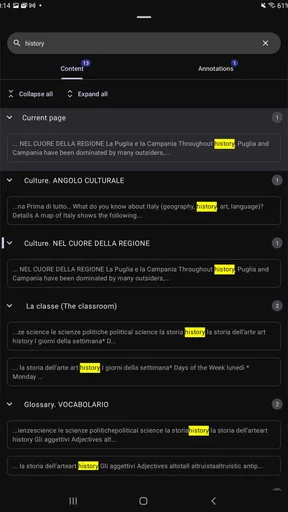
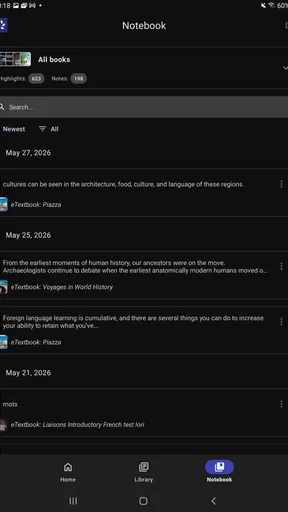
- Useful search tools make it easy to find specific terms or chapters.
- Reading progress can sync across supported devices.
- Offline access may help students study without a constant connection.
- Clean layout keeps focus on the current reading material.
Limitations of Cengage Read
- Access usually depends on an active Cengage subscription or course enrollment.
- Some books may have limited offline availability or download restrictions.
- Performance can vary with large textbooks and older mobile devices.
- Notes and highlights may not transfer perfectly between platforms.
- The app offers little value without compatible Cengage course content.
Similar Picks in This Category
View All
Duolingo: Language Lessons
Duolingo4.7

Google Classroom
Google LLC2.8

Unacademy: Learn & Crack Exams
Unacademy3.2

Bible App for Kids
Life.Church4.4

Cake - Learn English & Korean
Cake Corp.4.7

Brainly: AI Homework Helper
Brainly4.5
Frequently Asked Questions
What is Cengage Read and who is it designed for?
Cengage Read is a digital reading app connected to Cengage learning materials, allowing students to access selected textbooks, course readings, and other educational content on a mobile device. It is mainly intended for learners using Cengage products through a school, university, instructor, or individual purchase. Availability and included materials can depend on the course or subscription linked to your account.
Do I need a Cengage account or an access code to use the app?
In most cases, you need to sign in with a Cengage account before you can open assigned or purchased content. Depending on how your school or instructor provides the material, you may also need an access code, subscription, or enrollment link. Installing the app alone does not necessarily provide free access to every book, chapter, or course resource.
Can I read Cengage books offline?
Cengage Read may allow users to save supported content for offline reading, which is useful when traveling or studying without a reliable internet connection. However, offline access can vary by title, account permissions, and app version. You should open the required material while connected to the internet first and confirm that it has been downloaded successfully before leaving Wi-Fi.
What reading and study features are available in Cengage Read?
The app is built to make digital course reading more convenient, with features that may include adjustable text display, navigation between chapters, search, bookmarks, highlights, and notes. Some materials can also include interactive elements or links to related learning resources. The exact tools available are not identical for every title, so the book or course package determines the final experience.
Is Cengage Read free to download and use?
Cengage Read can generally be downloaded without an upfront app charge, but access to its educational content may require a paid Cengage subscription, purchased textbook, institutional license, or valid access code. Before downloading, check how your course provides access and whether your specific title is supported. Additional costs usually relate to the content rather than the installation of the app itself.
